Loading Media (When Using Dispenser)
You can also check the procedure in the video.

- Media with perforations cannot be used in dispenser mode because the perforations affect the dispenser function.

- For media that is 120 mm (4.72") or longer, the leading edge of the ejected label may stick to the surface on which the product is installed.
- Long media may stick together on the adhesive side during ejection.
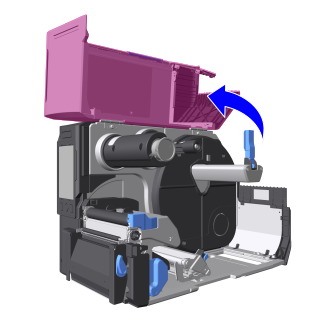
- Open the top cover.

- Open the top cover fully to prevent it from accidentally falling over.
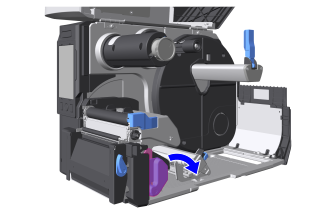
- Press the head lock lever backward.
- The print head and its surroundings are hot after printing. Be careful not to touch it, to avoid being burned.
- Touching the edge of the print head with your bare hand could cause injury.
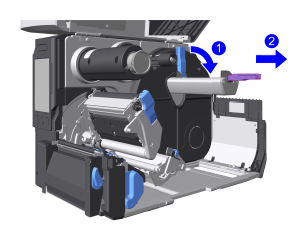
- Flip down the media roll holder guide and slide it to the tip of the media roll holder.
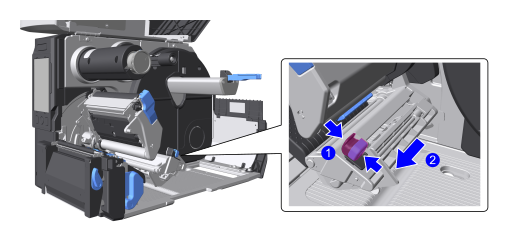
- Open the media guide.
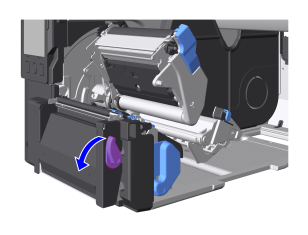
- Tilt the lever toward you and open the cover of the dispenser unit.
- When opening or closing the cover of the dispenser unit, be careful not to pinch your fingers.
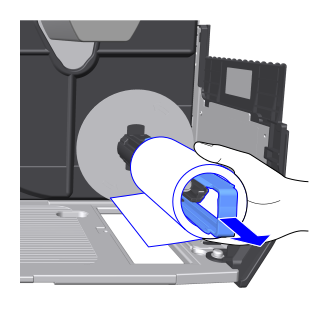
- Load the media, with the print side up, all the way onto the media roll holder.
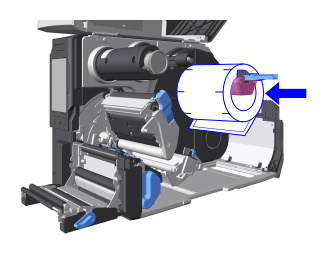
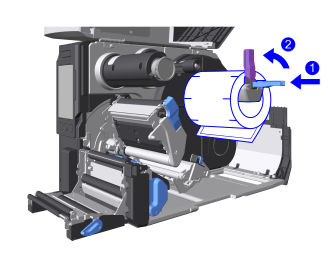
The figure shows a face-in media roll - Adjust the media roll holder guide to the width of the media and raise it up.
- Pass the media under the damper and the media sensor guide.
The edge of the media should touch the back of the unit.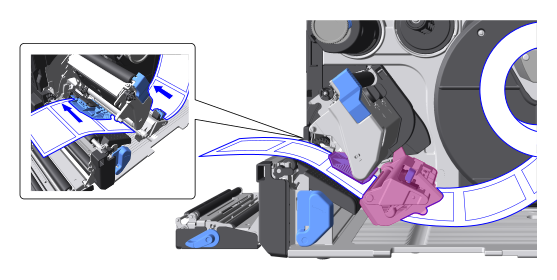
- Load the liner.
There are two ways to eject the liner, eject outside the product or wind it up inside the product.
Load the liner according to how it is ejected.Ejecting Out of the Product Winding Into the Product - Check if there is a
 mark in the colored area inside the dispenser unit.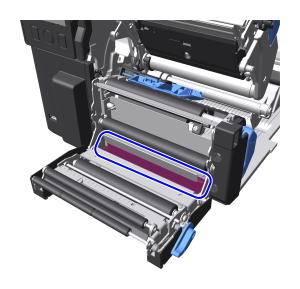
- Removes about 30 cm (11.81") of labels from the liner.
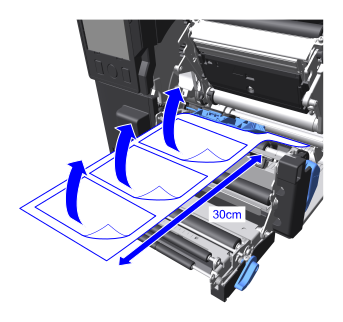
- Pass the liner through the gap in the dispenser unit to the outside of the product.
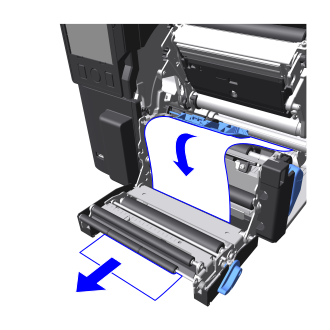
- Check if there is a
 mark in the colored area inside the dispenser unit.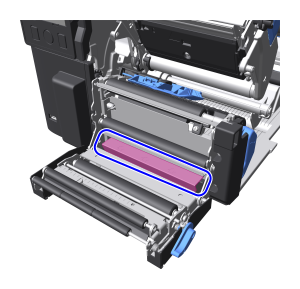
- Removes about 80 cm (31.50") of labels from the liner.
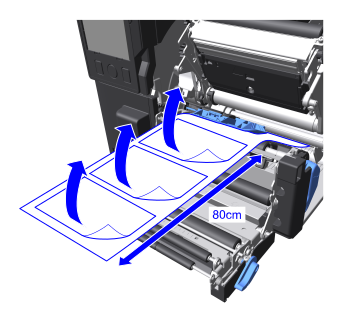
- Pass the liner through the gap in the dispenser unit to the inside of the product.
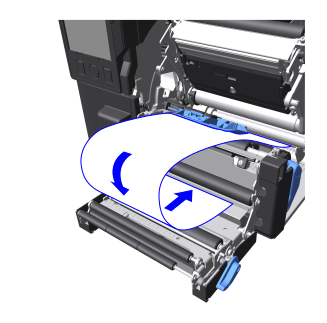
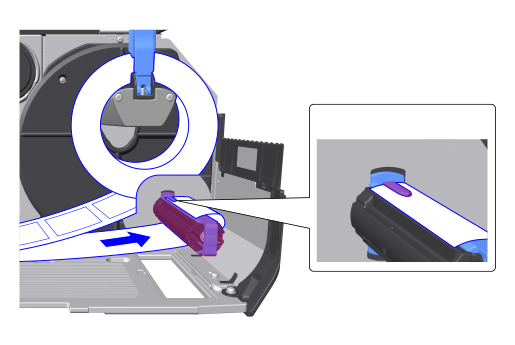
- Pass the liner under the liner rewinder spindle and secure it (in 2 locations) with clips.
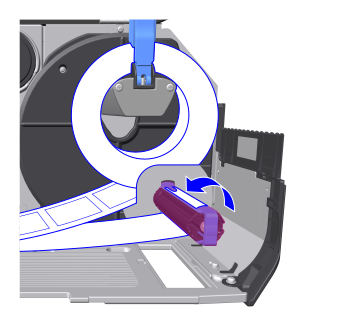
- Turn the liner rewinder spindle to the left by hand to wind up the liner.
- Check if there is a
- Close the cover of the dispenser unit.
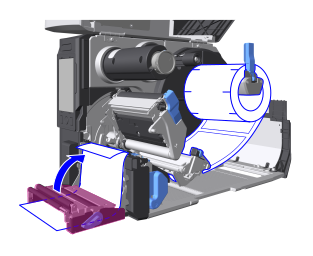
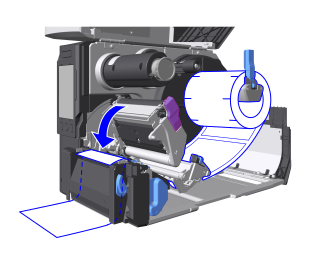
- Push the head assembly downward until it "clicks" into place.

- When pushing the head assembly downward, be careful not to pinch your fingers.
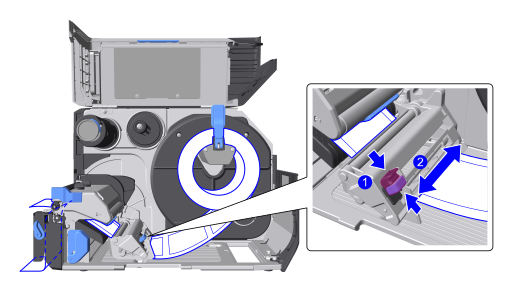
- Adjust the position of the media guide to the width of the media.
- Close the top cover.

- When closing the top cover, be careful not to pinch your fingers.
- Press the
 button to feed media, then press the
  button to switch to Online mode.
To Remove Liner from the Liner Rewinder Spindle
- Depending on the media type, the rolled-up liner may come into contact with the media roll, potentially preventing proper winding. Remove the liner before it contacts the media roll.

- The maximum diameter of the liner that can be wound up inside the product is φ120 mm (4.72").
- The liner should be cut to remove it.
- Pull out the lever.
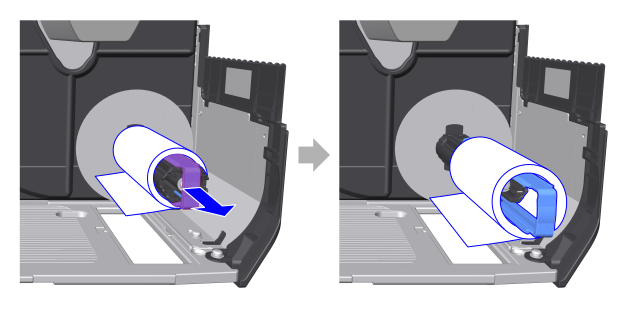
- Pull the liner off the liner rewinder spindle.
- Return the lever to its original position.