Adjusting the Position of the Media Sensor
There are two types of media sensors: gap sensors and I-Mark sensors.
The GAP sensor detects the gap between labels, while the I-Mark sensor detects the leading edge of the media by using a black mark (I-mark) printed on the back of the media, which allows the media to be fed to the print position.
| Gap | I-mark |
|---|---|
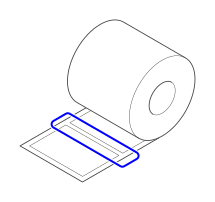 |
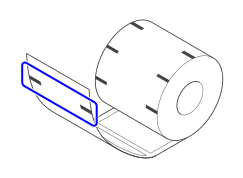 |
If you are using media that already has printing on its reverse side or media that is a special shape, the gaps and I-marks on the media may not be detected correctly, which may result in incorrect printing.
In such cases, adjust the media sensor position to ensure the gap or I-mark is detected correctly.
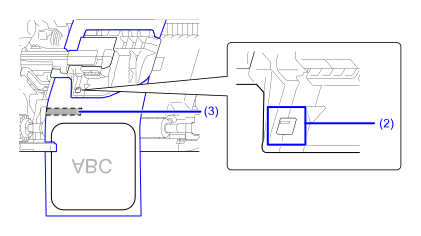
To adjust the media sensor position, move the media sensor guide (1) left or right.
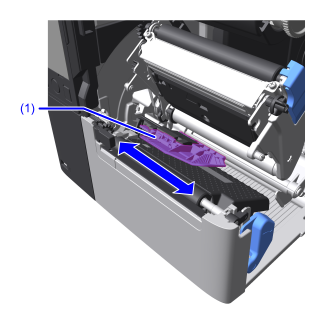
The marks (2) on the media sensor guide indicate the position of the gap and I-mark sensor.
Ensure the media's gap or I-mark (3) passes under their respective marks (2).
| Gap | I-mark |
|---|---|
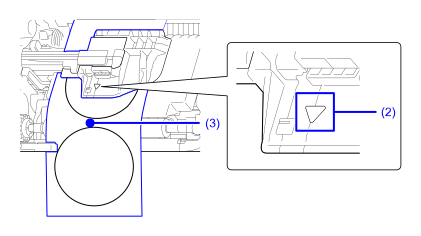 |
 |

- The RFID model features a fixed position for the I-Mark sensor, so only the GAP sensor can be adjusted.