Adjusting Print Speed
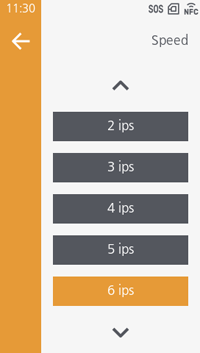
CL4-SXR
- 203 dpi: 2 to 18 inches/second (50.8 to 457.2 mm/second) (initial value: 6)
- 305 dpi: 2 to 16 inches/second (50.8 to 406.4 mm/second) (initial value: 6)
- 609 dpi: 2 to 6 inches/second (50.8 to 152.4 mm/second) (initial value: 4)
CL6-SXR
- 203 dpi / 305 dpi: 2 to 14 inches/second (50.8 to 355.6 mm/second) (initial value: 6)

- The setting range differs depending on the options and print mode being used.
- When the print mode is [Cut & Print]:
2 to 14 inches/second (50.8 to 355.6 mm/second) (initial value: 6) - When the print mode is [Dispenser]:
2 to 10 inches/second (50.8 to 254 mm/second) (initial value: 6) - When the print mode is [Linerless Cutter]:
2 to 6 inches/second (50.8 to 152.4 mm/second) (initial value: 4) - When using the GAP2 sensor (203 dpi):
2 to 16 inches/second (50.8 to 406.4 mm/second) (initial value: 6) - When the Micro Label Print function is enabled:
2 to 6 inches/second (50.8 to 152.4 mm/second) (initial value: 4) - When using the heat-proof rotary cutter unit:
fixed to 2 inches/second (50.8 mm/second) - RFID models:
2 to 14 inches/second (50.8 to 355.6 mm/second) (initial value: 6)
- When the print mode is [Cut & Print]:
- Printing at speeds of 15 inches/second (381 mm/second) or higher may affect print quality depending on the label, ribbon, print layout, barcode type, etc. Do an advance check in your environment to confirm operations.
- When using a media roll with an outer diameter of 265 mm (10.43") on the media roll holder for large diameter at print resolutions of 203 dpi or 305 dpi, set the print speed to 14 inches/second (355.6 mm/second) or less.