[Tools] > [Reset]
The settings and data saved to the product can be initialized.
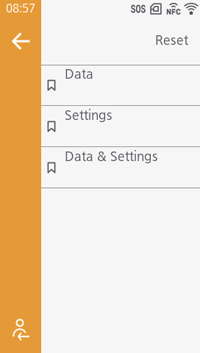
[Data]
The data (fonts and graphics) registered to the product is initialized.
[Settings]
The product's setting values are initialized.
[Data & Settings]
Both the product's settings and registered data (fonts and graphics) are initialized. Select the type of reset when [Settings] or [Data & Settings] is selected.
[User Reset] Initialize the setting values and data.
[User Reset (-Interface)] Initialize the setting values and data, except for the [Interface] menu.
[Factory Reset] Initialize to the factory default settings.
[Factory Reset (-Interface)] Initialize the setting values and data, except the [Interface] menu, to the factory default settings.
[Interface] Initialize the setting values and data in the [Interface] menu.
[Printing] Initialize the setting values and data in the [Printing] menu.