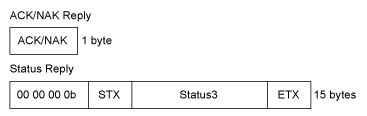
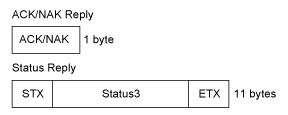
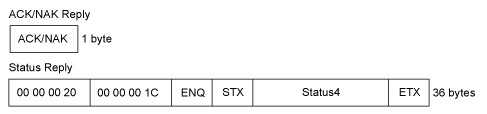
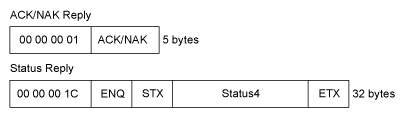
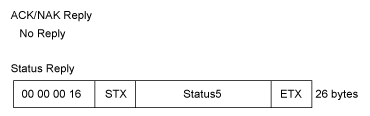
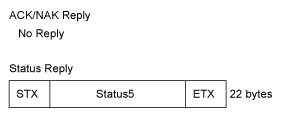
TOP > main > Various Settings of the Product > The [SETTINGS] Menu > [Interface] Menu > [Network] > [Settings] > [LAN] > [Ports] > [Legacy Status for Port 9100] [Legacy Status for Port 9100] Set whether to change the return status format of Port3 to compatible mode. Does not appear if you have selected [NONE] in the [Flow Control] menu. In compatible mode, the return status format of Port3 becomes as follows: STATUS3 (Compatible mode) (Standard mode) STATUS4 (Compatible mode) (Standard mode) STATUS5 (Compatible mode) (Standard mode) Back to top