[ESC+CX] Force-Cut
CL4NX
CL6NX
CL4NX-J
CL6NX-J
PW208/PW208m
PW208NX/PW208mNX
FX3-LX
CT4-LX/HC4-LX
PW4NX
LR4NX-FA
S84NX/S86NX
CL4-SXR
CL6-SXR
Hexadecimal code
| ESC | <1B>16 |
|---|---|
| CX | <43>16<58>16 |
Parameter
a
Initial value
a=0
Valid range and term of command
| When the power switch is OFF | The set command is not maintained. |
| Valid range within items | The set command becomes invalid. |
| Valid range between items | The set command becomes invalid. |
Function
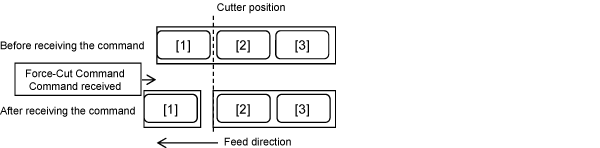
It forcibly cuts the media.
Format
<CX>a
- Parameter
a [Cut type]
= 0: Full cut mode
= 1: Partial cut mode
Coding example
<A>
<CX>0
<Z>
Note
- This command applies only to the Printer with Cutter module. Linerless models are not supported.
- This command is valid only in Cutter/Partial Cutter mode.
- It forcibly cuts the media.
- The force-cut command <CX> should be used between Data Start <A> and Data End <Z>.
- The force-cut command <CX> is not allowed in combination with other commands.
- The force-cut command <CX> is enabled when the printer is not in Cut operation but in pause status after print.