Setting Network Services
Setting ARP Announcements
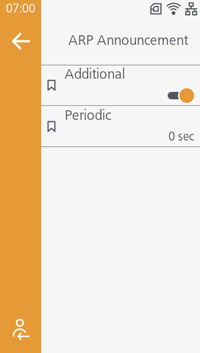
The ARP is sent at 1, 2, 4, 8 and 16 seconds after DHCP assignment. (Initial value: Enabled)
Also, set the interval for ARP announcements. (Initial value:
 300 sec
 0 sec)
Setting the Functions for NTP
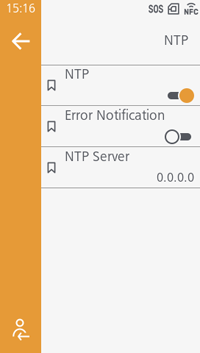
Gets the time information from the NTP server through the network and sets the time for the product. (Initial value: Disabled)
When [Error Notification] is enabled, an NTP error message is displayed when an error is detected. (Initial value: Disabled)

- The [NTP Server] is normally set to 0.0.0.0 (the initial value). By setting the initial value, the global NTP server will be assigned automatically. Set a unique IP address if the time synchronization is requested for a specific server.
Also, IPv6 addresses cannot be set for [NTP Server].
Setting the Functions for LPD
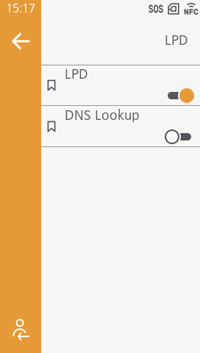
Prints using LPD. (Initial value: Enabled)
Also, uses the DNS Lookup function. (Initial value: Disabled)
Setting the Functions for FTP
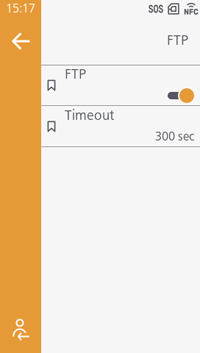
Transferring the file to the printer's directory executes printing. (Initial value: Disabled)
In [Timeout], set the number of seconds until the connection between the product's FTP server and the client times out. (Initial value: 300 seconds)
Setting the Functions for SNMP
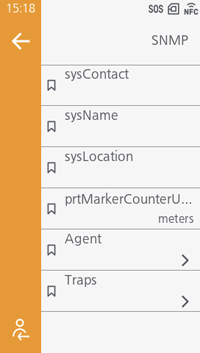
Monitor and manage a UDP/IP based network.
Set the contact, equipment name, and installation location, and set the units to use in counter reports for the subunit in [prtMarkerCounterUnit].
Set the community name, user name, and security authentication settings for the Agent function, and the Traps function.
Setting mDNS
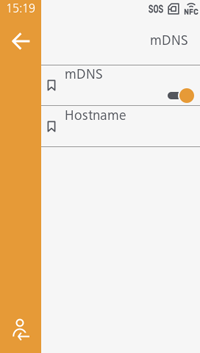
Use mDNS. (Initial value: Disabled)