Troubleshooting
For frequently asked questions about related software, such as printers, printer drivers, label printing tools, and supplies, refer to the following pages.

https://www.sato.co.jp/support/faq/

https://helpcenter.sato-global.com/
Contact your SATO technical support if the error cannot be resolved.
How Can I Print Using Thermal Media Without Using a Ribbon? (Such as When the Ribbon Runs Out)
Change the ribbon setting to disabled.
How Can I Stop Cutting Even Though the Cutter Unit Is Installed?
Change the print mode in the Settings menu.
Manually Set Printing Operations
How Can I Confirm the Resolution of the Product?
You can confirm it from the Online/Offline screen.
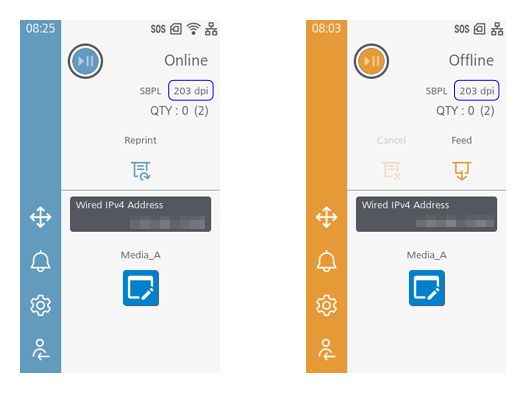
How Can I Cancel a Print Job?
- While printing, press the
 button.
 - Tap [Cancel] when printing has stopped.
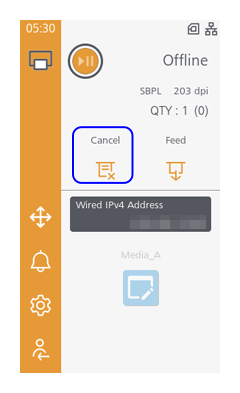

- If you are printing multiple sheets in succession, printing stops when the job currently being printed is completed.
- Tap [Current Data] or [All].
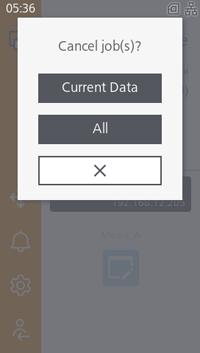
- Tap [Current Data] to cancel printing of only the job currently printing, or tap [All] to cancel printing of all jobs received by the product.