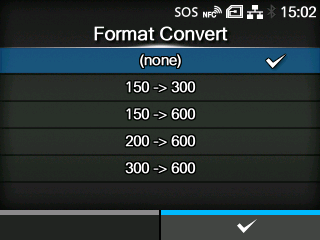
TOP > Various Settings of the Product > The Product's [Settings] Menu > [Applications] Menu > [SZPL] > [Format Convert] [Format Convert] Set the resolution conversion for printing data with different resolution from the product. The options are as follows: • [(none)] • [150 -> 300] • [150 -> 600] • [200 -> 600] • [300 -> 600] Back to top