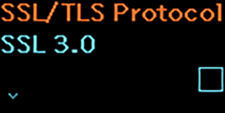
TOP > Various Settings of the Product > Product’s [Settings] Menu > [Interface] Menu > [Network] (PW208NX wireless LAN model only) > [Services] > [FTP] > [FTPS Settings] > [SSL/TLS Protocol] [SSL/TLS Protocol] Set the protocol to be used for encryption. To enhance data security, it is recommended not to use SSL 3.0, TLS 1.0, TLS 1.1 which are older standards. If you do not set the recommended settings, a security caution icon will appear in the status bar. The setting items are as follows: SSL 3.0 Enable or disable the SSL 3.0. TLS 1.0 Enable or disable the TLS 1.0. TLS 1.1 Enable or disable the TLS 1.1. TLS 1.2 TLS 1.2 is always enabled. This setting cannot be changed. Back to top