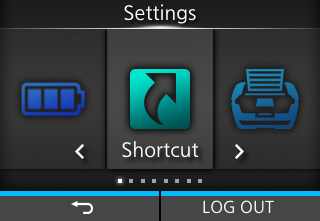
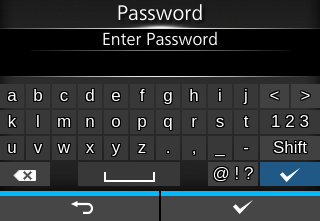
TOP > Basic Information > Settings Mode > Logging In to/Logging Out of the Settings Mode Logging In to/Logging Out of the Settings Mode The Settings mode logs in and logs out by the following procedure, if the password is enabled. • If the password is enabled, input the password after entering the Settings mode. When logged in to the Settings mode, [LOG OUT] appears on the bottom right of the screen.• Press the button (LOG OUT) to log out of the Settings mode. Password is required to enter the Settings mode again. • The default password is printed on the label included with the product. If the password label is not available, the default password is "PCB serial number (8 alphanumeric characters in uppercase) + user". Please enter the "+" symbol as part of the password. For safe use of this product, please change the password. Go to [System] > [Password] > [Change Password] and set a new password.• With password enabled, if no button is pressed for about 10 minutes after login, the login session will end automatically. Password is required to enter the Settings mode again.Related TopicsSetting Value Input or Selection[Password] Back to top