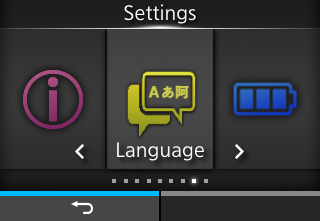
If this function is enabled, the [Language] icon is added to the [Settings] menu screen as below. You can directly access the display language setting screen.0 is the lowest and 5 is the highest.
•
•
•
◦ When the top cover is closed and opened
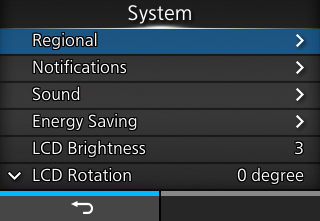
1 is the darkest and 5 is the brightest.
• If you set [180 degree], the functions of the buttons on the operator panel are also turned upside-down and reversed left to right.The number in the brackets to the right of [QTY] on the Online and Offline screens is the total print count.
If you have set the password to [Enabled], the product requires you to enter the password set in the [Password] screen before you enter the [Settings] menu.
• The default password is "PCB serial number (8 digits of uppercase English letters and numerals) +user". You can confirm the PCB serial number by executing [Configure List] from the [Tools] > [Test Print] menu.If you have enabled the password input, the product requires you to enter the password set in the [Password] screen before you can download the package file.
2. While pressingthe left selection key,
the right selection key, and
the power button simultaneously, turn on the device. Keep holding the keys until the Online/Offline screen appears. All passwords will be temporarily reset to their default values.

• This key operation is a temporary solution that allows the user to access the [Settings] menu using the default password. After accessing the [Settings] menu with the default password, you must set the passwords again.
•