TOP > Navigating the Application > Printer Page > Printer Logging In/Logging Out
1.
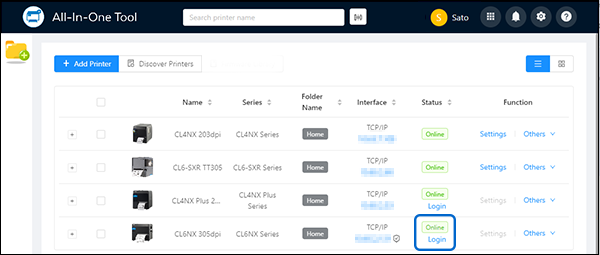
Click [Login].
When the icon appears, it indicates that communication between the application and the printer is protected by encryption.
2.
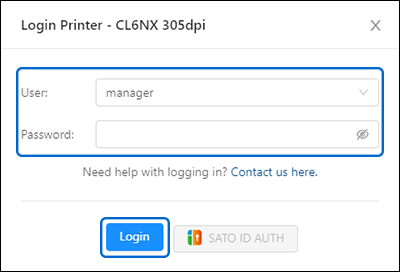
Enter the [User] access level.
2) Click [Login Printer].
2) Click [Get Default Password] to retrieve the unique default password.
3) Click [Login Printer].
If you need assistance to log in to the printer, click [Contact us here] to submit a request.
Upon successful login, the [Settings] and [Others] menus become available.
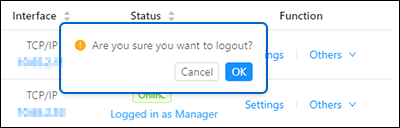
Click [Logged in as Manager]. A dialog appears. Click [OK] to log out.
 

Top

Back