TOP > Getting Started > Adding a Printer > Adding a Printer Manually via Supported Interface Setting > Configure Printer Security Settings in Web Configuration > Enable/Disable Printer Login on Printer Page
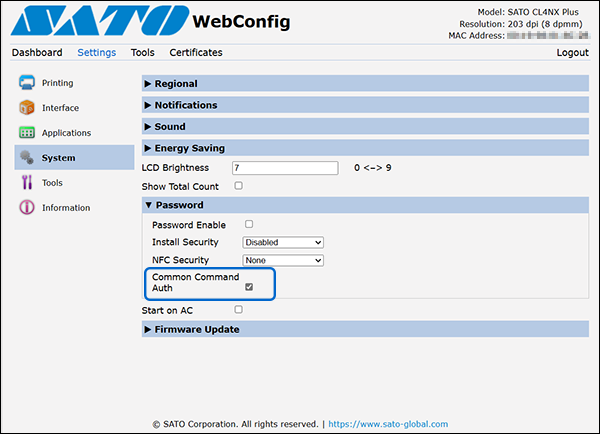
To use the authentication feature with the [DC2]PS command, enable the [Common Command Auth]. If this setting is disabled, printer authentication will no longer be required. In that case, the All-In-One Tool can communicate with the printer and access its functions without logging in.