TOP > Getting Started > Adding a Printer > Adding a Printer Manually via Supported Interface Setting > Configure Printer Security Settings in Web Configuration > Verify Printer Encryption Status
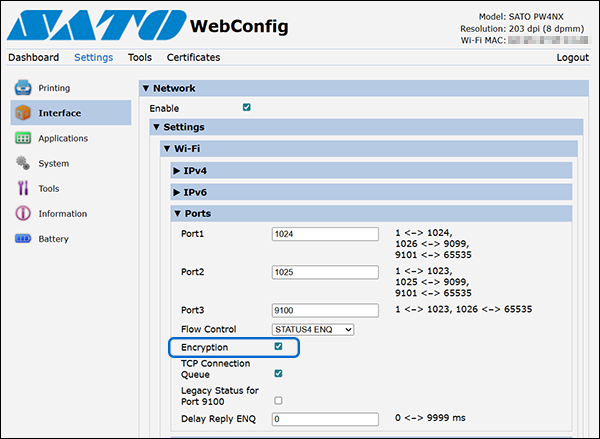
In the printer settings, users can enable or disable encryption for both LAN and wireless LAN connections. To enhance data security, we recommend enabling this feature. For the All-In-One Tool to communicate with the printer, [TCP/IP Encryption] must set to the same setting as in the printer.