TOP > Navigating the Application > Printer Page
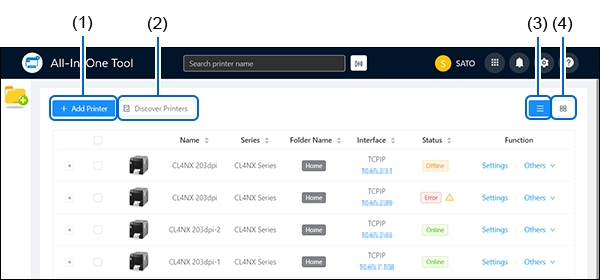
Refer to Adding a Printer Manually via Supported Interface Setting for more details on the operation.Refer to Adding a Printer via Auto-Discovery Setting for more details on the operation.You can upload a package file to multiple selected printers. The [Bulk Actions] button is unavailable until a printer is selected.Refer to Bulk Upload for more details on the operation.Refer to Printer Page in List View for more functions available on the printer page and how to access other menus.Refer to Printer Page in Grid View for more functions available on the printer page and how to access other menus.Refer to Enabling Shared Printer List for more details on the setting.(7) Printer Status MonitoringRefer to Printer Status Monitoring for more information.(8) Printer login statusWhen not logged in to the printer, click [Login] to access the printer login option or the Unlock Printer LCD option.Use the printer login option to log in to the printer from the application. For more information, refer to Printer Login .Use the Unlock Printer LCD option to unlock access to the printer LCD menu when the password setting is enabled on the printer. For more information, refer to Unlock the Printer LCD.Use the printer login option to log in to the printer from the application. For more information, refer to Log Out of the Printer.