TOP > Various Functions of the Application > License Activator
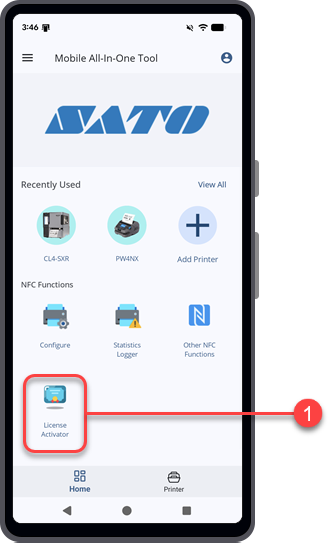
Currently, only the PDF Direct Print feature is supported.
1.
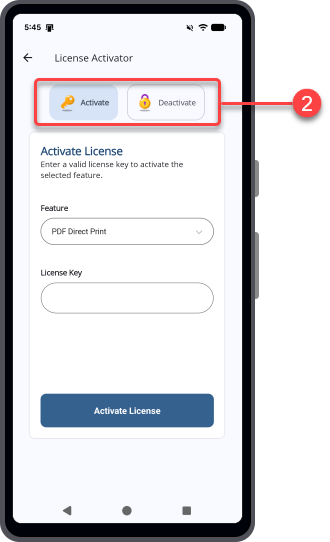
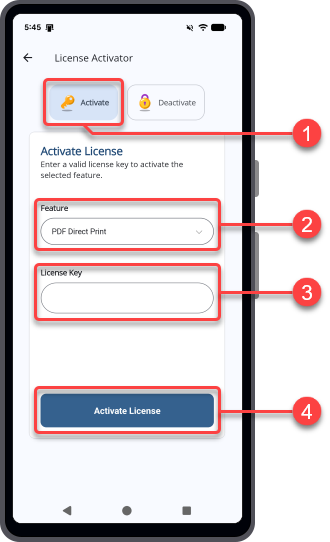
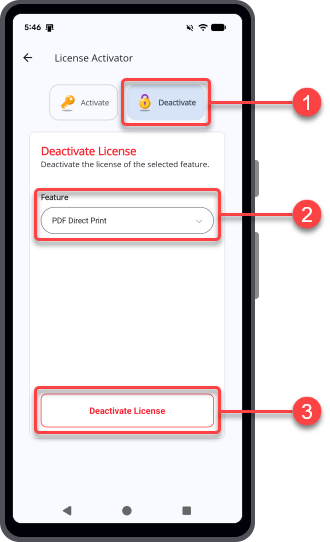
2. On the [License Activator] screen, you can choose to activate or deactivate the printer feature license.
1.
4.
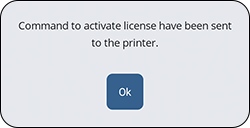
For example, when you activate the PDF Direct Print license for the CL4NX Plus printer, go to [Settings] > [Applications] > [DIRECT PRINT] > [PDF License] > [Activation Status] on the printer to check the activation status.
1.
3.
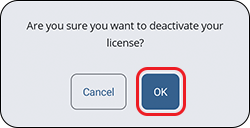
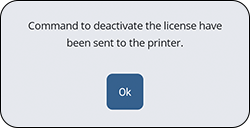
4.
For example, when you deactivate the PDF Direct Print license for the CL4NX Plus printer, go to [Settings] > [Applications] > [DIRECT PRINT] > [PDF License] > [Activation Status] on the printer to check the activation status.