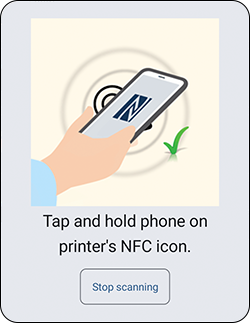
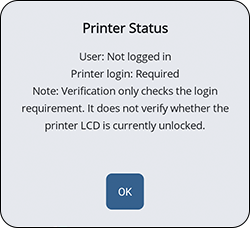
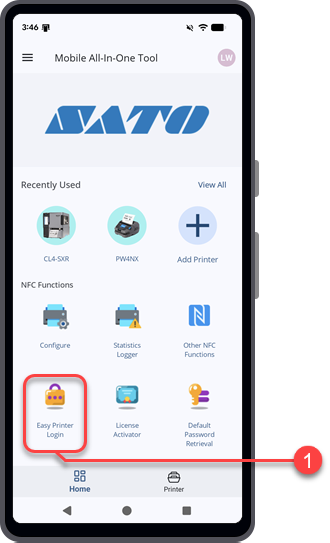
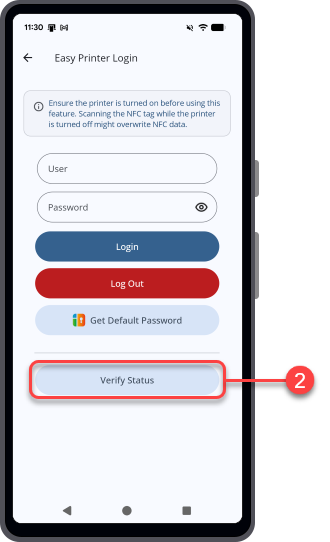
TOP > Getting Started > Printer Login > Verify the Printer Login Status Verify the Printer Login Status Use [Verify Status] on the [Easy Printer Login] page to check the printer login status through NFC.Verify whether the printer is logged in from the application and whether printer login is required for application functions.Prerequisites:• Make sure that NFC is turned on for the Android device. NFC is always on for iPhone.• Make sure the target printer is powered on, NFC is enabled, and Power Save Mode is disabled. 1. On the [Home] page, tap [Easy Printer Login].2. Tap [Verify Status].3. Hold the Android device or iPhone close to the printer's NFC antenna. The NFC antenna location is marked with a symbol.A dialog shows the printer login status.The status dialog shows the following information:[User]▪ Shows the user login level if the printer has been logged in from the application.▪ Shows [Not logged in] if the printer has not been logged in or does not support the printer login feature.[Printer login]▪ Shows [Required] when the printer requires printer login before you use application functions.▪ Shows [Not required] when printer login is not required or when the printer does not support the printer login feature. Related TopicsPrinter LoginLog In to the Printer Using the NFC InterfacePrinter Statistics LoggerEasy Printer LoginTest PrintSend SBPLLicense ActivatorEasy RFID Configuration


 symbol.