SATO

MENU

How to Search

MENU

  • TOP (Table of Contents)
  • Introduction
  • Getting Started
  • Adding Printers to the Printer List
  • Printer Login
  • Unlock the Printer LCD
  • Navigating the Application
  • Various Functions of the Application
  • View in PDF
Mobile SATO All-In-One Tool V2 User Manual
Close
TOP > Various Functions of the Application > Easy Printer Login
Easy Printer Login
The Easy Printer Login function lets you log in to a printer using the NFC interface. Use this function when the target printer has not been added to the printer list, but printer login is required before you use application functions.
 
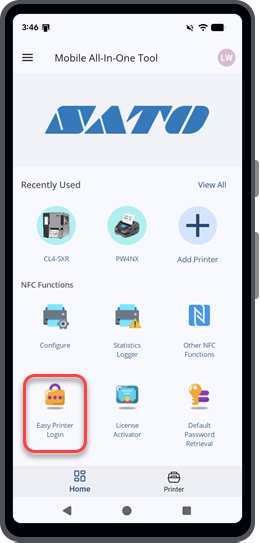
Tap [Easy Printer Login] on the [Home] page.
 
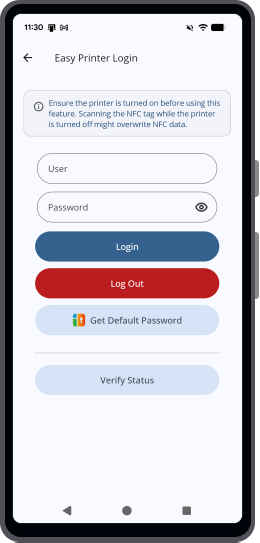
From the [Easy Printer Login] page, you can perform the following actions:
 
•
Log in to the printer using the NFC interface.
For more information, refer to Log In to the Printer Using the NFC Interface.
 
•
Log out of the printer using the NFC interface.
For more information, refer to Log Out of the Printer From Easy Printer Login.
 
•
Verify the printer login status.
For more information, refer to Verify the Printer Login Status.
 

Related Topics
Various Functions of the Application
Home Page Overview

Top

Back

© 2026 SATO Corporation. All rights reserved.